Tilewright
One terrain texture in. A finished 47 tile autotile set out, with the engine files already written.
Cutting an autotile set by hand is an afternoon of fiddly, unrewarding work. Cutting it slightly wrong is worse, because you do not find out until your map has a hairline crack running through it and you cannot tell whether the bug is in the sheet, the bitmask or the engine.
Tilewright does the cutting, and then proves it worked before you ever leave the page.
What it does
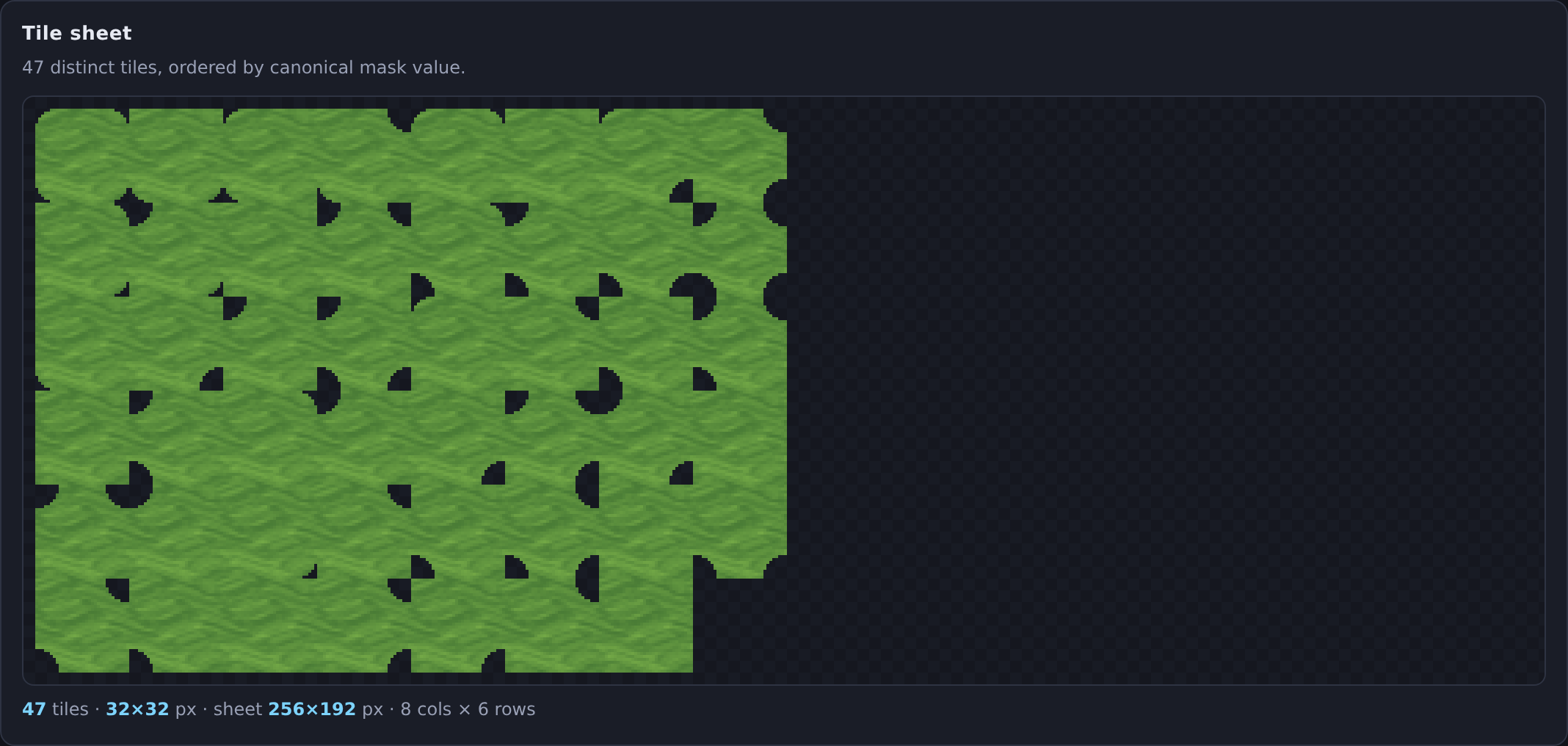
- Takes any terrain texture you give it, or one of six built in, and generates every tile an autotiler needs.
- Blob 47 for the full thing, Edge 16 when you want the simple version, Full 256 when your engine wants the whole table.
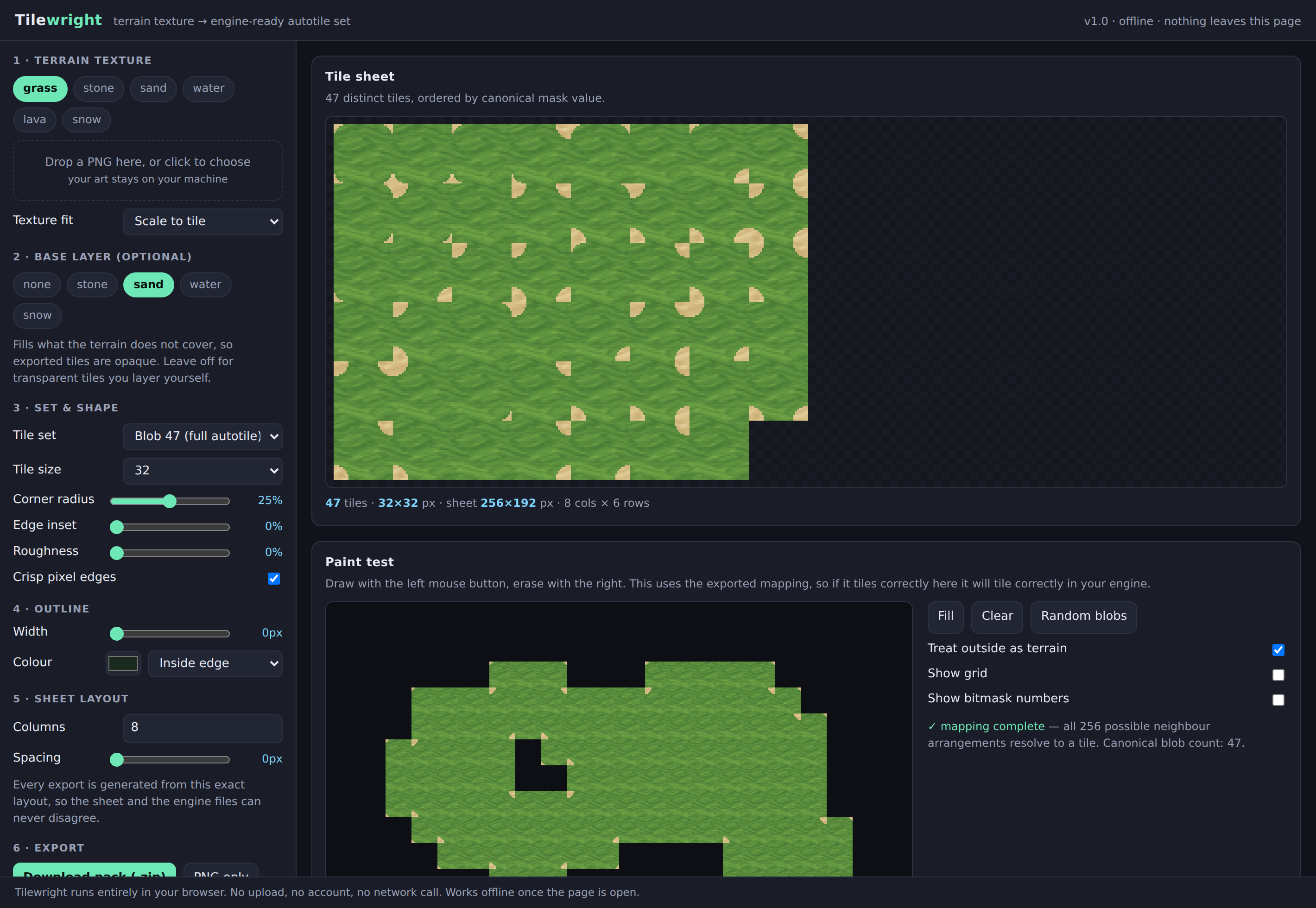
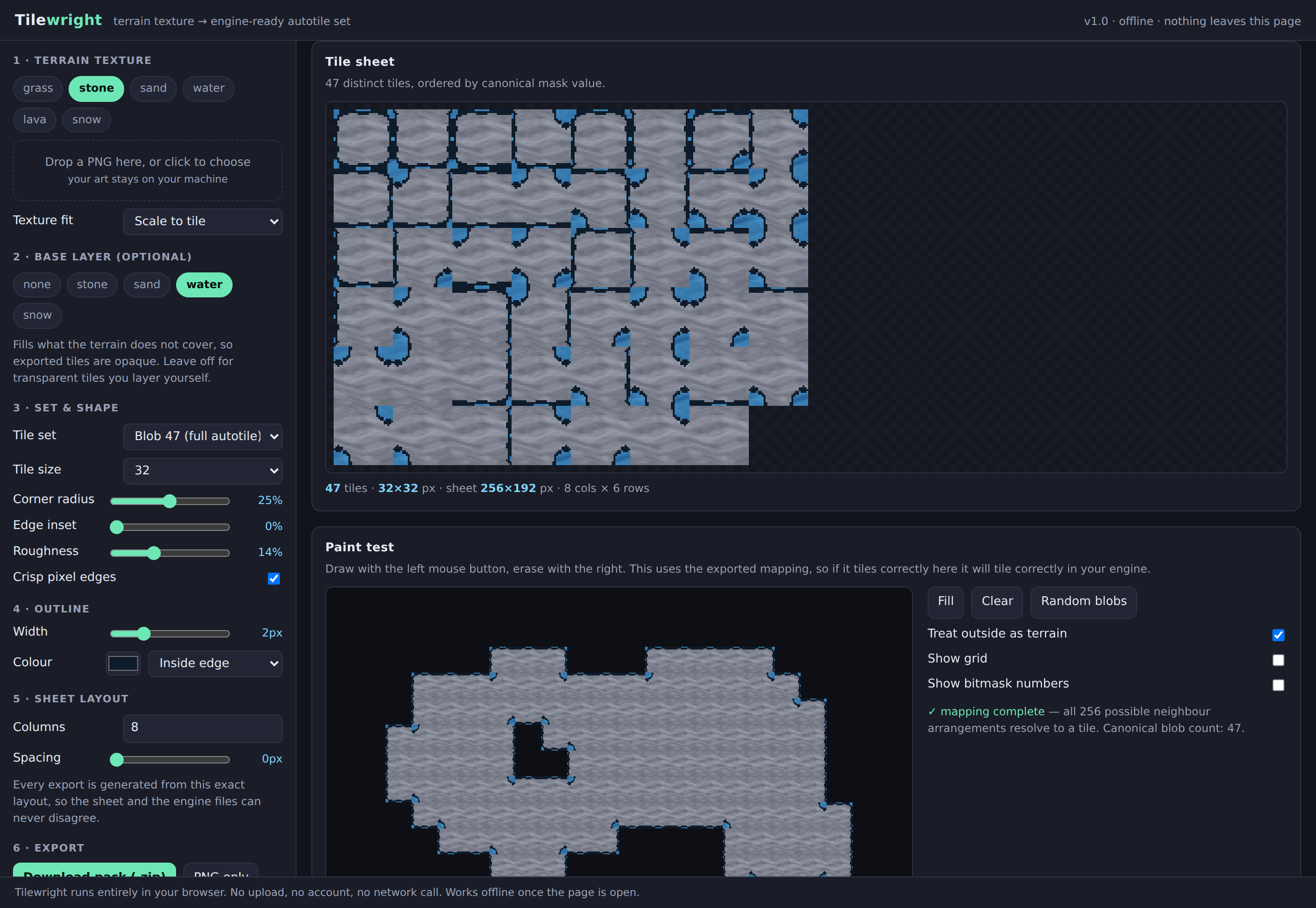
- Shapes the edges with corner radius, edge inset, roughness and an optional outline, so it suits pixel art or smooth art equally.
- Puts a second terrain underneath as a base layer, so grass sits on sand and stone sits on water, and your exported tiles come out opaque.
- Any tile size from 8 up to 128.
The paint test
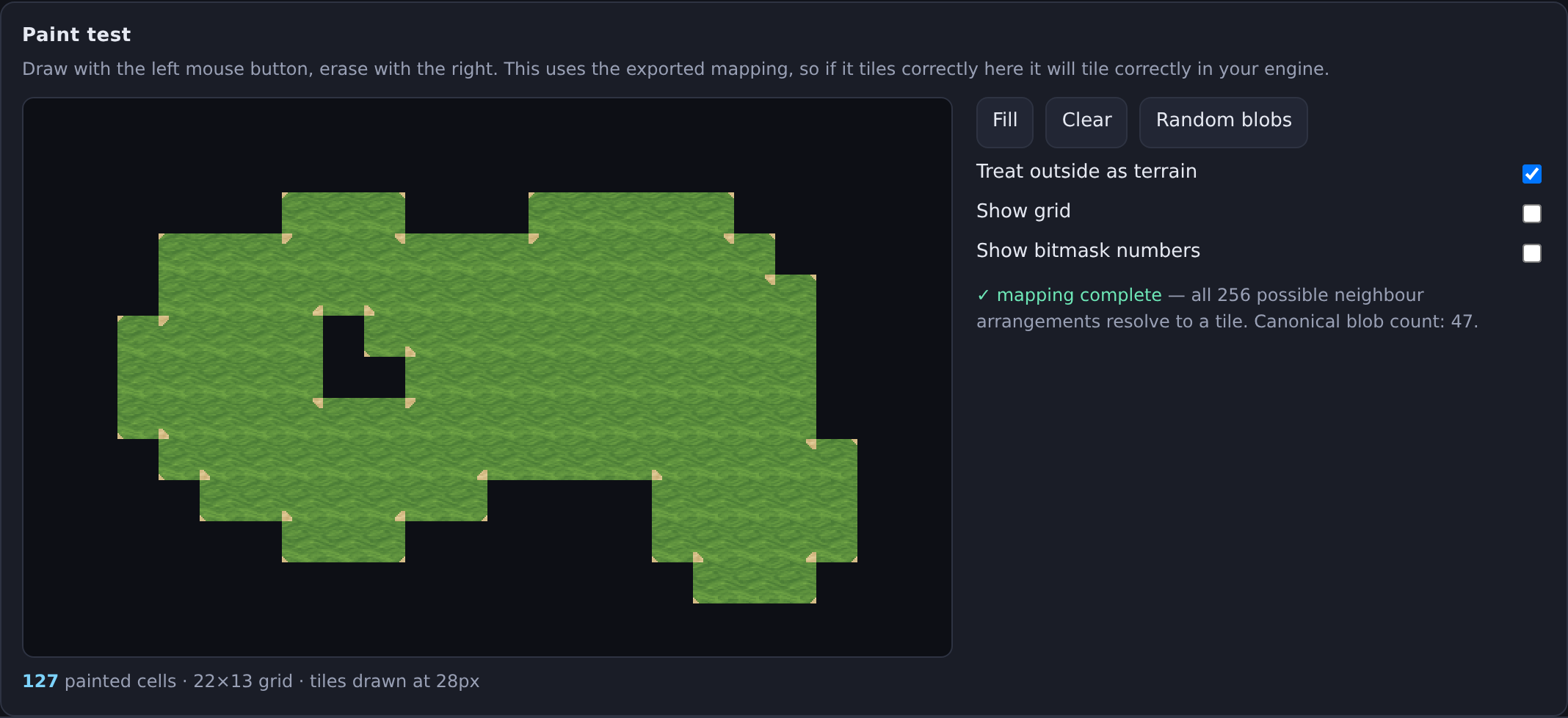
There is a canvas on the page. Draw on it. It picks tiles using the exact same mapping that gets written into your export, so if it tiles cleanly there, it tiles cleanly in your engine. You will know the set is right before you spend anything on integrating it.
What you get in the pack
| tileset.png | the sheet |
| mapping.json | which bitmask sits at which row and column |
| tilewright.tsx | Tiled tileset with the Wang set already filled in |
| Godot4_Importer.gd | builds a Godot 4 TileSet with every terrain peering bit set for you |
| UnityRuleTile.cs | editor script that builds a Unity Rule Tile |
| autotile.js | drop in snippet for Phaser, Excalibur or plain canvas |
| README.txt | the bit convention, written down plainly |
Every one of those files is generated from the same table, so your sheet and your engine files cannot disagree with each other. If you have ever downloaded a blob sheet that did not line up with the tutorial you were following, that is the problem this was built to remove.
The Godot and Unity pieces are scripts rather than prebuilt asset files on purpose. Asset internals shift between engine versions, and a script that builds the resource through the engine's own API keeps working when a prebuilt file would quietly break.
It runs offline and it does not want anything from you
It is one HTML file. Open it in a browser. No installer, no account, no sign in, no network call, no telemetry. Your art never leaves your machine, because there is nothing there to send it to. Keep it on a USB stick and it will still work in five years.
Tested, not just shipped
Before release it goes through 20 automated checks in a real browser: the canonical 47 count, all 256 neighbour arrangements resolving to a tile, corner geometry on the isolated and fully surrounded cases, sheet and mapping agreeing, every tile size building, and a pixel level seam test across 2,432 shared tile boundaries with roughness turned up. That last one is the one that matters, and it passes at zero mismatched pixels.
Try it first
The browser demo on this page is the complete tool with exporting switched off. Every control works. Load your own texture, shape it, paint with it, and see exactly what you would be buying.
Licence
Tiles you generate are yours, for free or commercial projects, no credit required. Do not resell Tilewright itself as a tile generator of your own. If your source texture came from somewhere else, that texture's own licence still applies to what you make from it.
Built with AI assistance. The tool is original code, and the tiles it produces are generated from your own texture by ordinary geometry, not by an image model.
Purchase
In order to download this tool you must purchase it at or above the minimum price of $8 USD. You will get access to the following files:
Leave a comment
Log in with itch.io to leave a comment.